
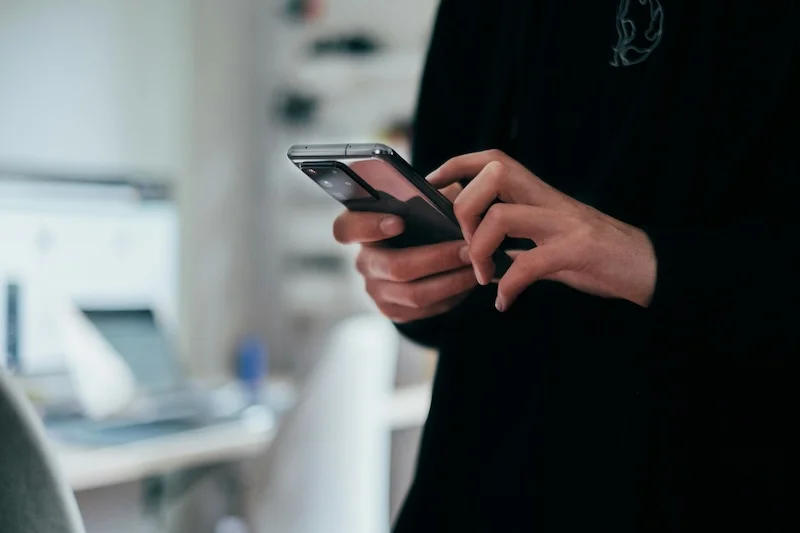
How To Track Steps Without Using A Smartphone

Discover the best standalone pedometers to use, how fitness trackers can replace smartphones, how to manually track steps if needed, and when combining devices makes sense.
Not everyone wants to carry a smartphone everywhere, and that is okay. Whether you prefer to leave your phone behind during walks, want a dedicated device, or simply do not own a smartphone, there are excellent ways to track your steps. From simple clip-on pedometers to advanced fitness trackers, you have options.
Here is how to track steps without using a smartphone.
Best Standalone Pedometers to Use
Simple, dedicated step counters still work great.
What Is a Standalone Pedometer?
A device dedicated to counting steps:
Basic function:
- Counts steps using accelerometer
- Displays count on small screen
- Battery lasts months or years
- No phone connection needed
Types available:
- Clip-on (waist)
- Pendant (neck)
- Wristband
Top Standalone Pedometer Options
Reliable devices to consider:
Omron Alvita Ultimate:
- Highly accurate
- Tracks steps, distance, calories
- 7-day memory
- Tri-axis accelerometer
- Clips to waist or pocket
3DFitBud Simple Step Counter:
- Very affordable
- Large display
- Easy to use
- Accurate counting
- Long battery life
Realalt 3D TriSport:
- 30-day memory
- Tracks exercise time
- Accurate 3D sensor
- Clip or lanyard wear
- Good value
Yamax Digi-Walker:
- Research-grade accuracy
- Simple and reliable
- Used in scientific studies
- Basic features only
- Very accurate
Benefits of Standalone Pedometers
Why choose a simple device:
Advantages:
- No phone required
- Very long battery life
- Simple to use
- Affordable
- Lightweight
- No distractions
Best for:
- Seniors
- People who prefer simplicity
- Those without smartphones
- Minimalists
- Budget-conscious users
Standalone pedometers are often more accurate than you might expect. Many use the same accelerometer technology as smartphones but in a device optimized specifically for step counting.
Limitations of Standalone Pedometers
What they cannot do:
Missing features:
- No smartphone sync
- Limited data history
- No charts or trends
- No GPS tracking
- No notifications
Workarounds:
- Write down daily counts
- Use spreadsheet for tracking
- Take photos of display
- Accept simpler tracking
How Fitness Trackers Can Replace Smartphones
Wearable devices offer more features.
Fitness Tracker Options
Devices that track steps without phone:
Basic fitness bands:
- Xiaomi Mi Band series
- Amazfit Band series
- Fitbit Inspire
- Garmin Vivosmart
Advanced trackers:
- Fitbit Charge series
- Garmin Vivosmart 4
- Samsung Galaxy Fit
- Amazfit GTR
Smartwatches:
- Apple Watch (limited without phone)
- Garmin watches (full standalone)
- Amazfit watches
- Samsung Galaxy Watch
Standalone Capabilities
What works without a phone:
Always works:
- Step counting
- Distance tracking
- Calorie estimation
- Time display
- Heart rate (if equipped)
May need phone for:
- Initial setup
- Syncing data
- GPS (some devices)
- Notifications
- App features
Truly standalone devices:
- Garmin watches (most features work)
- Some Amazfit models
- Fitbit (basic tracking works)
- Many need phone for full features
If you want a fitness tracker that works completely without a smartphone, look for Garmin devices. Most Garmin watches can track activities, store data, and even use GPS without ever connecting to a phone.
Setting Up Without a Phone
Some devices allow phone-free setup:
Garmin watches:
- Can be set up via computer
- Garmin Express software
- Full functionality
- No phone needed ever
Other devices:
- Usually need phone for initial setup
- Then work independently
- Periodic sync recommended
- Check before buying
Data Without a Phone
How to access your data:
On-device viewing:
- Most show current stats
- Some show history
- Limited compared to app
- Basic but functional
Computer sync:
- Some devices sync to computer
- Garmin Connect web
- Fitbit web dashboard
- USB connection
Manual recording:
- Write down daily totals
- Use spreadsheet
- Track trends yourself
- Simple but effective
How to Manually Track Steps If Needed
When technology is not available.
Counting Steps Manually
The original method:
How to count:
- Count each step as you walk
- Use a clicker/tally counter
- Count to 100, then restart
- Keep track of hundreds
Clicker counters:
- Inexpensive
- Very accurate
- No batteries needed
- Simple to use
Challenges:
- Requires attention
- Easy to lose count
- Not practical for all-day
- Best for specific walks
Estimating from Time
Calculate steps from walking time:
Average steps per minute:
- Slow walking: 70-90 steps/minute
- Moderate walking: 100-120 steps/minute
- Brisk walking: 130-150 steps/minute
Example calculation:
- 30-minute moderate walk
- 110 steps/minute average
- 30 x 110 = 3,300 steps
Accuracy:
- Rough estimate only
- Varies by individual
- Good for general tracking
- Better than nothing
Estimating from Distance
Calculate steps from distance walked:
Average steps per mile:
- Shorter stride: 2,400-2,600 steps
- Average stride: 2,000-2,200 steps
- Longer stride: 1,800-2,000 steps
Example calculation:
- Walked 2 miles
- Average stride
- 2 x 2,100 = 4,200 steps
Accuracy:
- Depends on knowing distance
- Stride length varies
- Reasonable estimate
- Use known routes
Tracking Without Counting
Alternative approaches:
Time-based goals:
- Walk for 30 minutes daily
- Track time, not steps
- Similar health benefits
- Simpler to measure
Distance-based goals:
- Walk 2 miles daily
- Use known routes
- Measure with car odometer
- Or use online maps
Activity-based goals:
- Walk to work
- Take stairs
- Evening walk routine
- Focus on habits, not numbers
Manual step counting is tedious for all-day tracking but works well for dedicated walking sessions. For all-day tracking, even a basic pedometer is much easier than counting manually.
When Combining Devices Makes Sense
Using multiple tracking methods together.
Phone Plus Fitness Tracker
Common combination:
How it works:
- Tracker worn on wrist
- Phone in pocket or at home
- Data syncs when connected
- Best of both worlds
Benefits:
- Accurate wrist tracking
- Phone for data analysis
- Backup data source
- Flexibility
Considerations:
- May have duplicate counting
- Health apps handle this
- Choose primary source
- Check settings
Pedometer Plus Phone
Using both:
When this makes sense:
- Pedometer for walks without phone
- Phone for all-day tracking
- Different situations
- Backup option
Managing data:
- Add counts manually
- Or use pedometer only
- Do not double-count
- Choose one for records
When to Use What
Matching device to situation:
Use smartphone when:
- You have it with you anyway
- Want detailed data
- Need GPS tracking
- Want app features
Use fitness tracker when:
- Exercising without phone
- Want wrist-based tracking
- Need heart rate data
- Prefer always-on device
Use standalone pedometer when:
- Want simplicity
- Do not own smartphone
- Prefer dedicated device
- Want long battery life

Steps App
FreeWhen you do use your iPhone, Steps App provides beautiful step tracking with seamless Apple Health integration. The app displays your steps with an animated progress ring and customizable widgets. For times when you track with other devices, Steps App shows unified data from all your sources through Apple Health.
Choosing the Right Solution
Finding what works for you.
Consider Your Needs
Questions to ask yourself:
How often do you carry a phone?
- Always: Phone tracking may be enough
- Sometimes: Consider wearable
- Rarely: Standalone device best
What features matter?
- Just steps: Simple pedometer
- Steps plus heart rate: Fitness tracker
- Full health tracking: Smartwatch
What is your budget?
- Under $20: Basic pedometer
- $20-$100: Fitness band
- $100-$300: Advanced tracker
- $300+: Smartwatch
Lifestyle Considerations
Match device to life:
Active lifestyle:
- Waterproof device
- Durable construction
- Secure fit
- Long battery
Office job:
- Subtle design
- All-day comfort
- Silent operation
- Professional look
Outdoor activities:
- GPS capability
- Weather resistance
- Long battery
- Rugged build
Simplicity vs. Features
Finding the balance:
Choose simple if:
- You just want step count
- Technology frustrates you
- You prefer minimal devices
- Budget is limited
Choose feature-rich if:
- You want detailed data
- You enjoy technology
- You track multiple metrics
- You want trends and insights
Making It Work
Tips for success without a smartphone.
Build the Habit
Consistent tracking matters:
Daily routine:
- Put on device same time each day
- Charge or replace batteries regularly
- Check count at end of day
- Record if needed
Avoid forgetting:
- Keep device with keys
- Charge overnight
- Set reminder
- Make it automatic
Track Progress
Even without apps:
Simple methods:
- Write in notebook
- Use spreadsheet
- Calendar marking
- Weekly averages
What to track:
- Daily step count
- Weekly total
- Best days
- Trends over time
Stay Motivated
Without app gamification:
Personal goals:
- Set daily target
- Challenge yourself
- Celebrate milestones
- Track streaks manually
External motivation:
- Walking buddy
- Family accountability
- Share progress
- Join walking group
The Bottom Line
You do not need a smartphone to track your steps effectively. Standalone pedometers offer simple, accurate counting. Fitness trackers provide more features while still working without a phone. Even manual tracking methods can help you stay active. Choose the approach that fits your lifestyle and preferences.
Key takeaways:
- Standalone pedometers are accurate, simple, and affordable
- Fitness trackers work without phones for basic tracking
- Garmin devices offer the most phone-free functionality
- Manual counting works for dedicated walking sessions
- Time or distance-based goals are alternatives to step counting
- Combining devices can provide flexibility
- Simple solutions often work best
- Consistency matters more than technology
The best step tracker is the one you will actually use every day.
References
Free calculators for this topic
Related Posts
Fitness Tracker Vs Smartphone Step Accuracy
Understand why accuracy varies between devices, how phone placement affects counting, how wrist devices differ in measurement, and best practices to get the most accurate step data.

How To Count Your Steps Using An iPhone
Learn how iPhone step tracking works, how to view step data in the Health app, how to add step widgets to your home screen, and tips to improve step counting accuracy.
How to Use Your iPhone as a Pedometer (Without an Apple Watch)
Learn what you can track with just your iPhone, best practices for accurate step counting, recommended pedometer apps, and tips to avoid battery drain while tracking.