
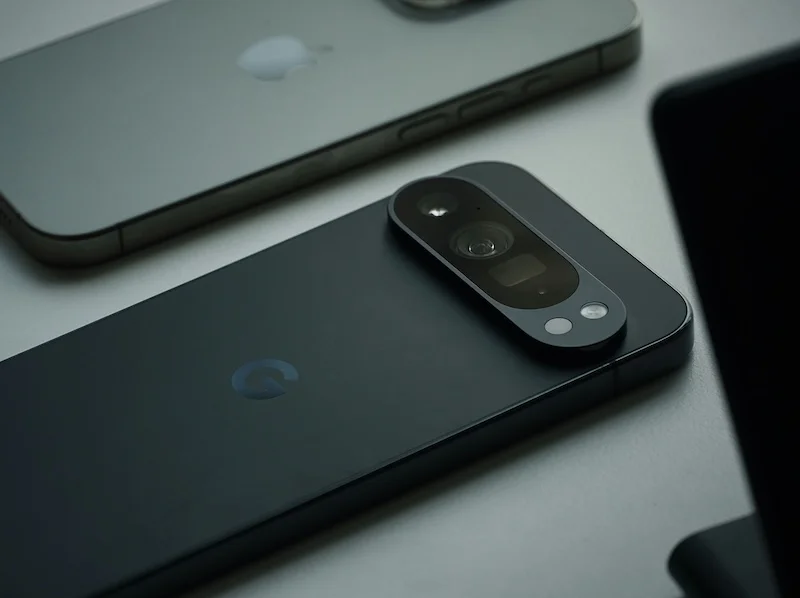
Pedometer Apps Android Vs iPhone Compared

Compare how step tracking works on both platforms, discover key differences between Android and iPhone pedometer accuracy, explore app variety on each platform, and learn how to choose the right app for your phone.
Choosing between Android and iPhone for step tracking? Both platforms offer excellent pedometer capabilities, but they work differently under the hood. Understanding these differences helps you get the most accurate step counts and choose the best app for your device.
Here is how pedometer apps compare on Android versus iPhone.
How Step Tracking Works on Both Platforms
Both platforms use similar hardware but different software approaches.
iPhone Step Tracking
How Apple handles step counting:
Hardware:
- Accelerometer in every iPhone
- Motion coprocessor (M-series chip)
- Dedicated low-power processor
- Optimized for always-on tracking
Software:
- Apple Health as central hub
- Core Motion framework for developers
- Automatic step counting built-in
- No app needed for basic tracking
Key characteristics:
- Steps counted automatically
- Data stored in Health app
- Third-party apps read from Health
- Consistent across all iPhones
Android Step Tracking
How Google handles step counting:
Hardware:
- Accelerometer in all Android phones
- Quality varies by manufacturer
- Some have dedicated step counters
- Hardware fragmentation exists
Software:
- Google Fit as optional hub
- Various sensor APIs available
- Step counting may require app
- Implementation varies by phone
Key characteristics:
- More variation between devices
- Google Fit integration optional
- Apps may use different methods
- Manufacturer customization
iPhone provides more consistent step tracking out of the box because Apple controls both hardware and software. Android offers more flexibility but with greater variation between devices and manufacturers.
The Motion Coprocessor Advantage
Why iPhone has an edge:
What it does:
- Continuously processes motion data
- Uses minimal battery
- Works even when phone sleeps
- Dedicated to activity tracking
Android equivalent:
- Some phones have similar chips
- Called "sensor hub" or similar
- Not universal across devices
- Quality varies by manufacturer
Practical impact:
- iPhone step tracking is very consistent
- Android accuracy depends on device
- Premium Android phones match iPhone
- Budget phones may be less accurate
Key Differences Between Android and iPhone Pedometer Accuracy
Understanding accuracy variations.
Consistency Across Devices
How reliable is step counting:
iPhone:
- Very consistent across models
- Same algorithms on all devices
- Predictable accuracy
- Apple controls the experience
Android:
- Varies significantly by device
- Manufacturer customization affects accuracy
- Premium phones are very accurate
- Budget phones may be less reliable
Battery Efficiency
Power consumption for step tracking:
iPhone:
- Motion coprocessor uses minimal power
- Always-on tracking with negligible drain
- Optimized at hardware level
- No battery concerns
Android:
- Varies by implementation
- Some phones very efficient
- Others drain more battery
- App choice affects power use
Background Tracking
How well do they track when not in use:
iPhone:
- Excellent background tracking
- No app needed to run
- Steps counted automatically
- Reliable all-day tracking
Android:
- Depends on device and settings
- Battery optimization may interrupt
- May need to exclude apps from optimization
- More configuration required
On Android, go to Settings > Battery > Battery Optimization and exclude your pedometer app to ensure consistent background step tracking. This is not needed on iPhone.
Algorithm Differences
How steps are detected:
iPhone:
- Apple's proprietary algorithms
- Machine learning-based
- Very accurate for most activities
- Consistent updates via iOS
Android:
- Varies by app and device
- Some use Google's algorithms
- Others use custom detection
- Quality depends on developer
Which Platform Offers Better App Variety
Exploring the app ecosystems.
iPhone App Store
Pedometer app options:
Built-in options:
- Apple Health (free, automatic)
- Fitness app (free, with Apple Watch)
Popular third-party apps:
- Steps App (beautiful design, widgets)
- Pedometer++ (simple, reliable)
- StepBet (gamified challenges)
- Pacer (comprehensive features)
Characteristics:
- Generally high quality
- Consistent with Apple Health
- Good privacy standards
- Curated selection
Google Play Store
Pedometer app options:
Built-in options:
- Google Fit (free, optional)
- Samsung Health (Samsung devices)
Popular third-party apps:
- Google Fit (comprehensive)
- Pacer (cross-platform)
- Step Counter - Pedometer Free
- Accupedo
- Many more options
Characteristics:
- More apps available
- Quality varies more
- Some ad-supported
- More free options
Quality Comparison
Overall app quality:
iPhone advantages:
- Stricter app review
- Better privacy enforcement
- More consistent quality
- Fewer ad-heavy apps
Android advantages:
- More free options
- Greater variety
- More customization
- Open ecosystem
Steps App
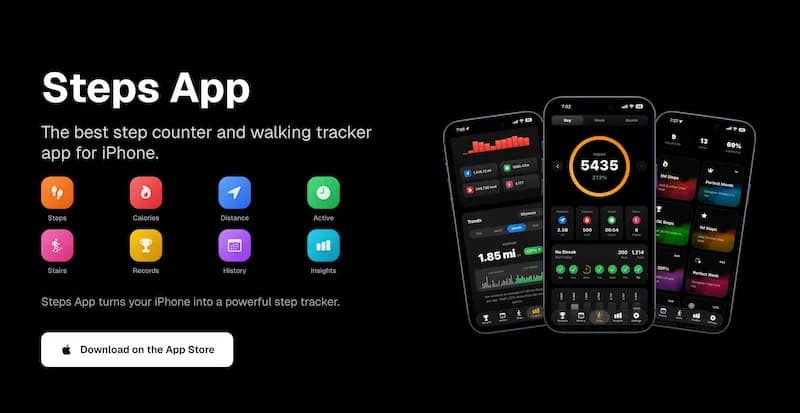
FreeFor iPhone users, Steps App offers the perfect combination of beautiful design and accurate tracking. The app integrates seamlessly with Apple Health, provides customizable widgets for your home screen, and tracks your progress with an animated step ring. Privacy-focused with no data collection, Steps App is designed specifically for iOS.
Privacy Considerations
Data handling differences:
iPhone:
- Strong privacy protections
- Health data encrypted
- App permissions granular
- Apple's privacy focus
Android:
- Privacy varies by app
- Google Fit collects data
- More permission flexibility
- Need to check each app
How to Choose the Best Pedometer App for Your Phone
Finding the right app for your needs.
For iPhone Users
Choosing your step tracking app:
If you want simplicity:
- Use Apple Health alone
- Steps counted automatically
- No extra app needed
- View in Health app
If you want better visualization:
- Steps App for beautiful charts
- Animated progress ring
- Home screen widgets
- Goal tracking
If you want social features:
- StepBet for challenges
- Pacer for community
- Competition with friends
If you want comprehensive fitness:
- Apple Fitness+
- Integrates with workouts
- Part of Apple ecosystem
For Android Users
Choosing your step tracking app:
If you want Google integration:
- Google Fit
- Syncs with Google account
- Works across devices
- Wear OS compatible
If you have Samsung:
- Samsung Health
- Optimized for Samsung devices
- Good widget options
- Comprehensive features
If you want simplicity:
- Step Counter - Pedometer Free
- Basic but reliable
- Low battery usage
- Easy to use
If you want comprehensive features:
- Pacer
- Community features
- GPS tracking
- Weight management
Key Features to Look For
What makes a good pedometer app:
Essential features:
- Accurate step counting
- Low battery usage
- Background tracking
- Daily history
Nice to have:
- Widgets
- Goal setting
- Charts and trends
- Achievements
Advanced features:
- GPS tracking
- Social challenges
- Health integration
- Export options
Evaluating App Quality
How to assess an app:
Check reviews:
- Overall rating
- Recent reviews
- Accuracy complaints
- Battery issues
Test accuracy:
- Count 100 steps manually
- Compare to app count
- Test multiple times
- Check consistency
Monitor battery:
- Check battery usage
- Compare to other apps
- Watch for excessive drain
Be cautious of free apps with excessive ads or suspicious permission requests. A good pedometer app only needs motion sensor access, not your contacts, camera, or location (unless you want GPS tracking).
Cross-Platform Considerations
If you use both platforms or switch.
Data Portability
Moving between platforms:
iPhone to Android:
- Export from Apple Health
- Import to Google Fit (limited)
- Historical data may be lost
- Start fresh often easier
Android to iPhone:
- Export from Google Fit
- Import to Apple Health (limited)
- Some apps sync both
- Data transition challenging
Apps on Both Platforms
Cross-platform options:
Available on both:
- Pacer
- MyFitnessPal
- Strava
- Fitbit (with device)
Platform-specific:
- Steps App (iPhone only)
- Apple Health (iPhone only)
- Samsung Health (Android only)
- Many others
Syncing Across Devices
If you have both platforms:
Best approach:
- Choose one primary device
- Use cross-platform app
- Sync to cloud service
- Accept some limitations
Platform Recommendations
Summary of which platform suits different needs.
Choose iPhone If:
Best for these users:
- You want consistent, reliable tracking
- Privacy is a priority
- You prefer curated app quality
- You want widgets that work well
- You are in the Apple ecosystem
Choose Android If:
Best for these users:
- You want more app choices
- Budget is a concern
- You prefer customization
- You want Google integration
- You use Wear OS devices
Either Platform Works If:
Both are fine for:
- Basic step counting
- Daily activity tracking
- Fitness goals
- Health monitoring
- Most users
The Bottom Line
Both Android and iPhone offer capable step tracking, but they differ in consistency, app variety, and user experience. iPhone provides more reliable out-of-the-box tracking with its motion coprocessor and Apple Health integration. Android offers more flexibility and app choices but with greater variation between devices. Choose based on your priorities and the device you already have.
Key takeaways:
- iPhone has more consistent step tracking across all devices
- Android accuracy varies by manufacturer and model
- iPhone's motion coprocessor provides efficient always-on tracking
- Android may require battery optimization exclusions
- iPhone has stricter app quality and privacy standards
- Android offers more free app options
- Both platforms have excellent top-tier apps
- Choose apps based on features you actually need
The best pedometer is the one you will actually use consistently.
References
Related Posts

How To Count Your Steps Using An iPhone
Learn how iPhone step tracking works, how to view step data in the Health app, how to add step widgets to your home screen, and tips to improve step counting accuracy.
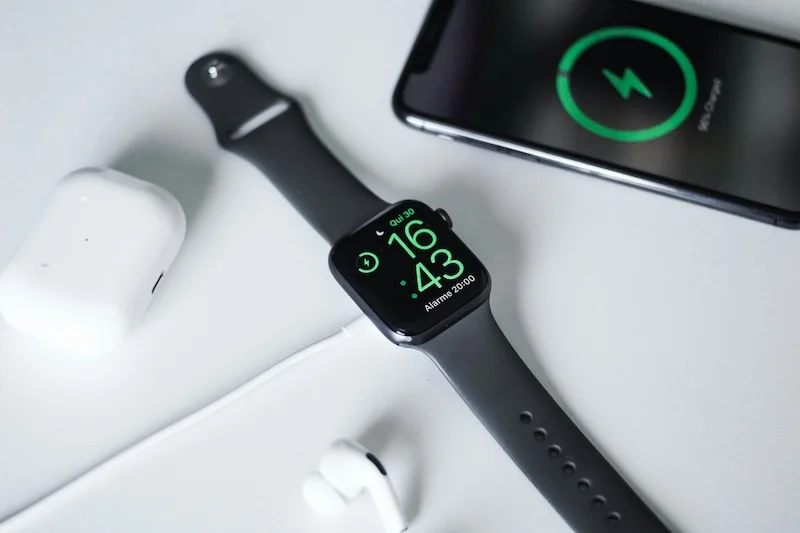
How to Use Your iPhone as a Pedometer (Without an Apple Watch)
Learn what you can track with just your iPhone, best practices for accurate step counting, recommended pedometer apps, and tips to avoid battery drain while tracking.
Beginner's Guide to Tracking Steps on iPhone: Setup and First Steps
Learn what counts as a step, how your iPhone detects movement, and how to set up step tracking. Find the right app and set your first realistic step goal.