

How to Track Walking Distance on iPhone Without GPS (Yes, It's Possible)

Learn how your iPhone estimates distance from steps without GPS. Understand the pros and cons, tips to improve accuracy, and when GPS is actually needed.
You want to track how far you walk, but you do not want to drain your battery with GPS. Good news: your iPhone can estimate walking distance without GPS, and it is more accurate than you might think.
Here is how it works and when you actually need GPS.
How Your Phone Estimates Distance From Steps
Your iPhone calculates distance using a simple formula combined with smart algorithms.
The Basic Formula
Distance = Steps x Stride Length
If you take 2,000 steps and your stride length is 2.5 feet, your estimated distance is 5,000 feet (about 0.95 miles).
The challenge is knowing your accurate stride length, which varies based on:
- Your height
- Your walking speed
- The terrain
- Whether you are walking or running
How Your iPhone Determines Stride Length
Your iPhone uses several methods to estimate stride length:
Height-based estimation: When you set up the Health app, you enter your height. iOS uses this to calculate an average stride length. Taller people generally have longer strides.
Motion pattern analysis: The accelerometer detects how you walk. Faster walking typically means longer strides. The phone adjusts its calculations accordingly.
Historical calibration: Over time, if you occasionally use GPS, iOS learns your actual stride patterns and improves future estimates.
Walking vs running detection: Your iPhone can tell if you are walking or running and applies different stride length estimates for each.
Your iPhone's motion coprocessor continuously processes movement data in the background. This dedicated chip is designed for efficient, always-on motion tracking without significant battery drain.
The Role of the Motion Coprocessor
Apple's M-series motion coprocessor handles step counting and distance estimation:
- Runs independently from the main processor
- Uses minimal battery
- Processes accelerometer and gyroscope data continuously
- Provides step count and distance to apps
This is why step and distance tracking works without GPS and without draining your battery.
Pros and Cons of Distance From Steps vs GPS
Both methods have advantages and disadvantages.
Distance From Steps (No GPS)
Pros:
- Minimal battery drain
- Works indoors
- Works in areas with poor GPS signal
- No need for cellular or WiFi connection
- Always running in background
Cons:
- Less accurate for exact distances
- Does not show your route on a map
- Stride length estimates may be off
- Cannot track non-walking activities accurately
- No location history
GPS-Based Distance
Pros:
- More accurate for exact distances
- Shows your route on a map
- Tracks actual path, not estimated steps
- Works for cycling, driving, and other activities
- Provides location history
Cons:
- Significant battery drain
- Does not work well indoors
- Requires clear sky view for accuracy
- Uses more data if maps are downloaded
- Must be actively enabled
For most daily walking, step-based distance is accurate enough and saves significant battery. Use GPS only when you need route mapping or precise distance for a specific walk.
Accuracy Comparison
For casual fitness tracking, step-based distance is sufficient. For training or navigation, GPS provides better accuracy.
Tips to Improve Distance Accuracy
You can make step-based distance tracking more accurate with these adjustments.
Update Your Height in Health App
Accurate height improves stride length estimation:
- Open the Health app
- Tap your profile picture
- Tap Health Details
- Verify your height is correct
If you have not updated this since setting up your phone, check it now.
Calibrate With Occasional GPS Walks
iOS learns your stride patterns when you use GPS:
- Enable location services for your step app
- Take a few walks with GPS enabled
- Your phone learns your actual stride length
- Future step-based estimates become more accurate
You do not need GPS every time. A few calibration walks improve accuracy for all future tracking.
Carry Your Phone Consistently
Where you carry your phone affects step detection:
- Consistent pocket: Phone learns your movement patterns
- Switching locations: May cause inconsistent readings
- Hand vs pocket: Different motion patterns detected
For best accuracy, carry your phone in the same location each day.
Walk at a Consistent Pace
Stride length varies with pace:
- Very slow walking: Shorter strides
- Normal walking: Average strides
- Brisk walking: Longer strides
If you walk at wildly different paces, step-based distance may be less accurate. Consistent pace improves estimates.

Steps App
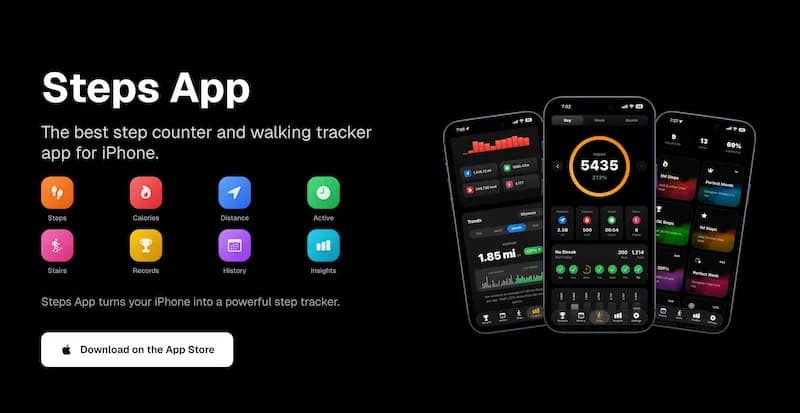
FreeSteps App tracks your distance automatically using your iPhone's motion sensors. See your daily distance alongside steps, calories, and active time. The app integrates with Apple Health to use calibrated stride data for improved accuracy.
Verify Accuracy Periodically
Occasionally check your distance accuracy:
- Walk a known distance (track, measured path)
- Compare your app's distance to the actual distance
- If significantly off, recalibrate or adjust settings
Most people find step-based distance is within 5-10% of actual distance.
When You Actually Need GPS and When You Do Not
Understanding when GPS adds value helps you use it strategically.
You Do Not Need GPS For:
Daily step and distance tracking: Step-based tracking is accurate enough for monitoring daily activity. You do not need to know you walked exactly 2.37 miles versus 2.42 miles.
Indoor walking: GPS does not work indoors anyway. Step-based tracking is your only option for malls, offices, and home.
Treadmill walking: GPS cannot track treadmill distance. Step counting is the only way to measure treadmill walks.
General fitness motivation: If your goal is to walk more, approximate distance is sufficient. The exact number matters less than the trend.
Battery conservation: If battery life is a priority, step-based tracking uses negligible power compared to GPS.
You Need GPS For:
Route mapping: If you want to see where you walked on a map, GPS is required.
Exploring new areas: When walking in unfamiliar places, GPS helps you navigate and track your route.
Training for events: If you are training for a race or long-distance event, accurate distance matters for pacing and planning.
Hiking with elevation: GPS combined with barometer data provides more accurate distance on hilly terrain.
Sharing routes: If you want to share your walking route with others, GPS tracking creates the route data.
GPS can drain 10-20% of your battery per hour of active use. Only enable it when you specifically need route mapping or precise distance. For daily tracking, step-based distance is sufficient.
Hybrid Approach
Many people use a hybrid approach:
- Daily tracking: Step-based (no GPS)
- Special walks: GPS enabled for route mapping
- Calibration: Occasional GPS walks to improve step-based accuracy
This balances accuracy with battery life.
Setting Up Distance Tracking on iPhone
Here is how to configure distance tracking:
Enable Motion Tracking
- Open Settings
- Tap Privacy and Security
- Tap Motion and Fitness
- Enable Fitness Tracking
This allows your iPhone to count steps and estimate distance.
Configure Health App
- Open Health app
- Tap Browse
- Tap Activity
- Tap Walking + Running Distance
- Verify data is being recorded
Check Step App Settings
In your step tracking app:
- Ensure Health app integration is enabled
- Check if distance display is turned on
- Verify units (miles or kilometers)
Optional: Enable Location for Calibration
If you want occasional GPS calibration:
- Open Settings
- Tap Privacy and Security
- Tap Location Services
- Find your step app
- Set to "While Using" (not "Always")
This allows GPS when you open the app but saves battery otherwise.
Understanding Distance Accuracy Factors
Several factors affect how accurate your distance estimate will be.
Factors That Improve Accuracy
- Correct height in Health app
- Consistent walking pace
- Carrying phone in same location
- Previous GPS calibration
- Walking on flat surfaces
- Regular walking stride
Factors That Reduce Accuracy
- Incorrect height setting
- Variable walking pace
- Carrying phone in different locations
- Never using GPS for calibration
- Walking on uneven terrain
- Shuffling or unusual gait
- Pushing stroller or cart
Realistic Expectations
For most people, step-based distance is:
- Within 5% of actual distance for normal walking
- Within 10% for variable terrain or pace
- Within 15% for challenging conditions
This level of accuracy is sufficient for fitness tracking and daily motivation.
The Bottom Line
Your iPhone can track walking distance without GPS using step counting and stride length estimation. This method:
- Uses minimal battery
- Works everywhere (including indoors)
- Is accurate enough for daily fitness tracking
- Improves over time with calibration
Use GPS only when you need route mapping, precise training data, or are exploring new areas. For everyday walking, step-based distance tracking is efficient, convenient, and sufficiently accurate.
Key takeaways:
- Distance = Steps x Stride Length
- Your iPhone estimates stride from height and motion patterns
- Step-based distance is 90-95% accurate for normal walking
- GPS drains battery but provides exact distance and routes
- Calibrate occasionally with GPS walks for better accuracy
- For daily tracking, step-based distance is all you need
Start tracking your distance today without worrying about battery drain.
References
Free calculators for this topic
Related Posts

How To Count Your Steps Using An iPhone
Learn how iPhone step tracking works, how to view step data in the Health app, how to add step widgets to your home screen, and tips to improve step counting accuracy.
How to Use Your iPhone as a Pedometer (Without an Apple Watch)
Learn what you can track with just your iPhone, best practices for accurate step counting, recommended pedometer apps, and tips to avoid battery drain while tracking.
Beginner's Guide to Tracking Steps on iPhone: Setup and First Steps
Learn what counts as a step, how your iPhone detects movement, and how to set up step tracking. Find the right app and set your first realistic step goal.