
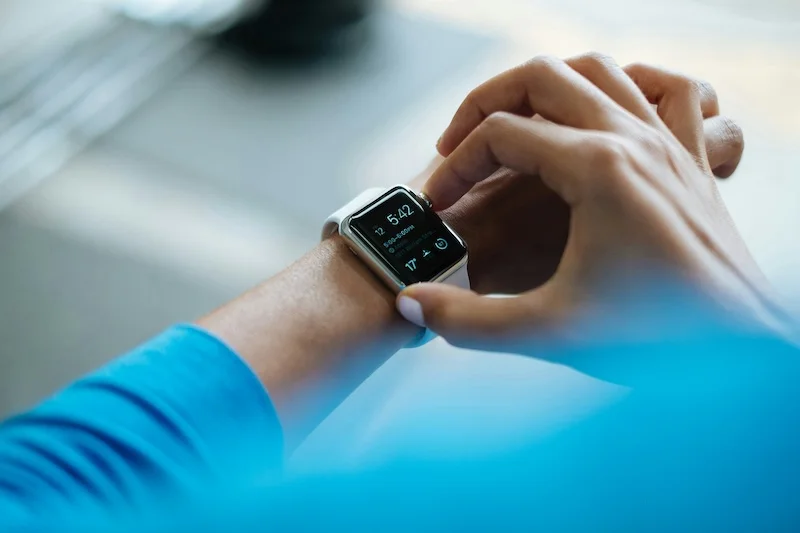
Why Your Step Count Differs Between Phone and Smartwatch (And What to Do)

Understand why your phone and smartwatch show different step counts. Learn which number to trust, how to reduce discrepancies, and how to sync your data.
You check your phone: 7,500 steps. You check your smartwatch: 8,200 steps. Which one is right? This frustrating discrepancy is common, and understanding why it happens helps you make sense of your data.
How Different Devices Count Steps
Your phone and smartwatch use similar technology but measure movement differently.
How Phones Count Steps
Smartphones detect steps using:
- Accelerometer: Measures movement in three dimensions
- Gyroscope: Detects rotation and orientation
- Algorithms: Process sensor data to identify walking patterns
The phone sits in your pocket or bag and detects the rhythmic motion of your body as you walk. Each up-and-down cycle is counted as a step.
How Smartwatches Count Steps
Smartwatches also use accelerometers and gyroscopes, but they:
- Sit on your wrist instead of your hip/pocket
- Detect arm swing rather than body movement
- Use different algorithms optimized for wrist placement
The watch counts steps based on the swinging motion of your arm during walking.
Why This Creates Differences
The fundamental issue: your phone and watch are measuring different things.
- Phone: Measures hip/body movement
- Watch: Measures arm movement
During normal walking with natural arm swing, both should give similar results. But in many real-world situations, your arms and body move differently.
Neither device is measuring "true" steps. Both are estimating based on the movement they can detect. Differences are inevitable.
Common Reasons for Mismatched Numbers
Several situations cause significant discrepancies between phone and watch step counts.
Scenario 1: Arms Not Moving
When your arms are stationary but your body is moving:
- Pushing a shopping cart or stroller
- Carrying bags or boxes
- Holding a child
- Walking with hands in pockets
Result: Phone counts more steps than watch
The phone detects your body moving, but the watch does not detect arm swing.
Scenario 2: Arms Moving Without Walking
When your arms move but your body is stationary:
- Gesturing while talking
- Cooking or cleaning
- Typing or using a mouse
- Playing video games
Result: Watch counts more steps than phone
The watch interprets arm movements as walking, while the phone correctly registers no walking.
Scenario 3: Phone Not With You
When you leave your phone behind:
- Walking around the house without phone
- Quick trip to another room
- Exercising without phone
Result: Watch counts steps, phone counts zero
This is a data gap, not an accuracy issue. The phone cannot count what it does not experience.
Scenario 4: Different Algorithms
Even during normal walking, devices may differ because:
- Different sensitivity settings
- Different step detection thresholds
- Different filtering of non-walking movements
- Different handling of slow or irregular walking
Result: Consistent 5 to 15 percent difference between devices
If your phone and watch consistently differ by the same percentage, that is normal. Focus on trends from one device rather than comparing absolute numbers.
Scenario 5: Device Placement Issues
Accuracy problems from how devices are worn or carried:
- Phone in swinging bag (may overcount)
- Watch worn too loosely (may undercount)
- Phone in jacket pocket (movement dampened)
- Watch on dominant vs. non-dominant wrist
Result: Variable differences depending on the day
Which Number Should You Trust?
There is no universally "correct" device. The best choice depends on your situation.
Trust Your Phone When:
- You always carry it in your pocket
- Your arms are often occupied (carrying items, pushing carts)
- You want consistency (phone placement is more consistent than arm swing)
- You do not wear your watch all day
Trust Your Watch When:
- You often walk without your phone
- You want real-time step display
- Your walking involves natural arm swing
- You wear it consistently throughout the day
The Practical Answer
Pick one device and stick with it. Consistency matters more than absolute accuracy.
If you use your phone as your primary tracker:
- Always carry it in the same pocket
- Accept that some steps (without phone) will not be counted
- Focus on phone data for trends and goals
If you use your watch as your primary tracker:
- Wear it consistently
- Accept that arm-stationary activities may undercount
- Focus on watch data for trends and goals
Do not add phone and watch steps together. This will significantly overcount your actual steps since both devices count the same walking periods.
How to Sync Data Into One Place
If you use multiple devices, consolidating data helps you see the complete picture.
Apple Health (iPhone)
Apple Health can aggregate data from multiple sources:
- Open the Health app
- Go to Browse > Activity > Steps
- View combined data from all connected sources
Apple Health prioritizes data sources, typically favoring Apple Watch over phone when both are present.
Google Fit (Android)
Google Fit similarly combines data:
- Open Google Fit
- View your step count
- Data from connected apps and devices is merged
Google Fit uses algorithms to avoid double-counting when multiple devices report the same activity.
Third-Party Apps
Many step tracking apps can:
- Connect to Apple Health or Google Fit
- Import data from multiple sources
- Display consolidated totals
- Show which device contributed which data

Steps App
FreeSteps App syncs with Apple Health, showing your complete activity picture. Whether steps come from your iPhone, Apple Watch, or other connected devices, you see one unified total with beautiful widgets and insights.
Avoiding Double-Counting
Health platforms try to prevent double-counting, but you can help:
- Set one device as the priority source
- Disable step tracking on secondary devices if possible
- Review data sources in your health app settings
- Look for obvious duplicates (sudden jumps in step count)
Reducing Discrepancies Between Devices
While you cannot eliminate differences entirely, you can minimize them.
For Your Phone
- Consistent placement: Same pocket, same position, every day
- Keep it with you: Fewer gaps in data
- Use a quality app: Not all pedometer apps are equally accurate
- Allow background tracking: Ensure the app tracks when not open
For Your Watch
- Proper fit: Snug but comfortable, one finger width above wrist bone
- Correct wrist setting: Set dominant vs. non-dominant wrist in settings
- Natural arm swing: Let arms swing naturally when walking
- Update firmware: Manufacturers improve accuracy with updates
General Tips
- Calibrate if possible: Some devices allow stride length calibration
- Compare periodically: Do the 100-step test on both devices
- Accept differences: Small variations are normal and expected
- Focus on one device: Use one as your "official" count
What the Difference Tells You
Instead of being frustrated by discrepancies, use them as information.
Large Difference (Watch Much Higher)
If your watch consistently shows 20 to 30 percent more steps:
- You may be doing activities with arm movement that are not walking
- Consider whether these "steps" represent real activity
- Your phone count may be more accurate for actual walking
Large Difference (Phone Much Higher)
If your phone consistently shows 20 to 30 percent more steps:
- You may often have your arms occupied while walking
- Your watch is missing real steps
- Consider phone as your primary tracker
Small, Consistent Difference (5 to 15 Percent)
This is normal. Different algorithms produce different results. Pick one device and use it consistently.
Highly Variable Differences
If the difference changes dramatically day to day:
- Check device placement and fit
- Consider your activities (some days more arm movement than others)
- Ensure both devices are functioning properly
The Bottom Line
Phone and smartwatch step counts differ because they measure different movements: body motion vs. arm swing. Neither is perfectly accurate, and both have situations where they excel or struggle.
The solution is simple:
- Choose one device as your primary step tracker
- Use it consistently every day
- Focus on trends rather than absolute numbers
- Sync to a health app if you want consolidated data
Whether your "true" step count is 7,500 or 8,200 matters less than whether you are walking more this week than last week. Consistency in tracking enables you to see progress, and that is what really counts.
References
Free calculators for this topic
Related Posts
Phone Pedometer Apps vs Fitness Trackers: Which Is More Accurate?
Compare the accuracy of phone pedometer apps and fitness trackers. Learn how each measures steps, common sources of error, and tips for more accurate results.

Walking to Lose Weight: The Complete Step & Calorie Chart
How many steps do you need to lose weight? This chart shows exactly how many steps to burn 1 lb, 5 lbs, and 10 lbs at every body weight, with a realistic timeline.

How Many Steps to Burn 500 Calories Walking?
Burning 500 calories walking takes roughly 10,000–17,500 steps for most adults. See the exact step count for your body weight and pace, plus a sample day plan.